Level 8 · Power and speed · weeks 26–32
Sprint plan: stage 1
Runs of 18 to 90 meters at half pace, slowing down gently, to build the fitness you need for sprinting.
- 30 min
- A flat track or field with a straight 110 m; six cones
- Operated leg
General information, not medical advice. Follow your surgeon's and physio's plan. Read the disclaimer
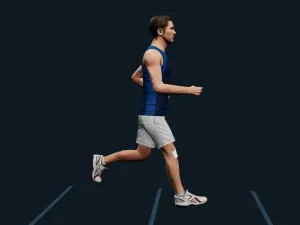
Loading the 3D figure…
Drawn for the 18 m run, at a moderate pace. The floor moves under the figure to keep it in view: it runs forward.
- Run
- The step
Key positions
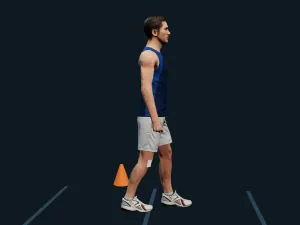
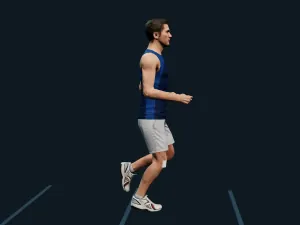
Follow along
The highlighted step is the one playing. Tap a step to see it.
- Step 3: Walk back to the start after each run. Then rest about 3 times as long as the run took. On steps 1 and 2, rest longer if you need to
- Step 4: Step 1, 19 runs: 18 m × 3, 36 m × 2, 54 m × 2, 72 m × 2, 90 m × 1, 72 m × 2, 54 m × 2, 36 m × 2, 18 m × 3
- Step 5: Step 2, 23 runs: 18 m × 4, 36 m × 3, 54 m × 2, 72 m × 2, 90 m × 1, 72 m × 2, 54 m × 2, 36 m × 3, 18 m × 4
- Step 6: Step 3, 23 runs: 18 m × 3, 36 m × 4, 54 m × 2, 72 m × 2, 90 m × 1, 72 m × 2, 54 m × 2, 36 m × 4, 18 m × 3
- Step 7: Step 4, 23 runs: 18 m × 3, 36 m × 4, 54 m × 2, 72 m × 2, 90 m × 2, 72 m × 1, 54 m × 2, 36 m × 4, 18 m × 3
- Step 8: Run the list for your current step once, from top to bottom. Move up only if you finished every run on the list with the rest it gives. Write down your step after each session, so you know where to start next time
- Step 9: Stop if your knee gives way, feels unstable or you find yourself holding back from pushing off it, and tell your physio
- Step 10: If your knee is more swollen or sore the next morning, stay on the same step next time
How much
30 min
- Level 8 · Speed: 30 minutes. About 30 min: the time is a guide, and you are done when your step is. Move up at most one step a session, and only after a session that left your knee no more sore or swollen the next morning. Repeat a step until you finish every run on its list with the rest it gives. Keep a rest day between sprint sessions.
Your physio may set a different dose. Theirs wins.
Before you start
Level 8 usually starts around week 26 after surgery. Move on to it when you can tick off the checks of Level 7:
- The running plan's last step done, with no soreness the next day
- 10 single-leg hops forward on each leg, a comfortable distance, not your longest: each landing held 2 s on one foot, no wobble, the knee over the foot
- Single-leg leg press: 1.5 × your body weight 8 times on the operated leg (a 45° press, counting the plates only)
- No swelling after running days
- Thigh strength 80% or more of the other leg (measured by a physio)
- Hop tests 80% or more of the other leg (measured by a physio)
After some surgeries done with the ACL, the app starts it later: Revision surgery, not before week 30.
This animation shows the exercise as the app describes it. It is general information, not medical advice. Follow your surgeon's and physiotherapist's instructions, and stop if the knee hurts.
If you had a meniscus repair or other surgery along with your ACL, your surgeon may limit how far you bend the knee or how much weight you put on the leg. Follow their limits.
On Level 8 the app adds a note after some surgeries:
- Patellar tendon graft: Front-of-knee pain is common with your patellar tendon graft. Protocols usually keep exercise pain below 5/10, easing range or load if it reaches 5.
- Quadriceps tendon graft: Front-of-knee pain is common with your quadriceps tendon graft. Protocols usually keep exercise pain below 5/10, easing range or load if it reaches 5.
- Donor graft (allograft): Donor (allo) grafts heal into the knee more slowly. Protocols usually progress your running and jumping more slowly, meeting every criterion before moving on.
From the steps:
- Stop if your knee gives way, feels unstable or you find yourself holding back from pushing off it, and tell your physio
- If your knee is more swollen or sore the next morning, stay on the same step next time
Next in the programme
All exercises by level
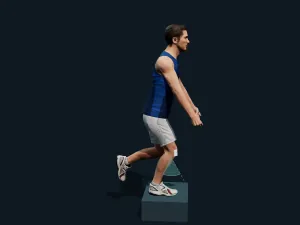
The 3D figure
The figures are Sports_Male_04 from the Microsoft Rocketbox Avatar Library, MIT licence. The poses are computed in the browser from the steps. Microsoft Rocketbox
MIT License
MIT License

Copyright (c) 2020 Microsoft

Permission is hereby granted, free of charge, to any person obtaining a copy
of this software and associated documentation files (the "Software"), to deal
in the Software without restriction, including without limitation the rights
to use, copy, modify, merge, publish, distribute, sublicense, and/or sell
copies of the Software, and to permit persons to whom the Software is
furnished to do so, subject to the following conditions:

The above copyright notice and this permission notice shall be included in all
copies or substantial portions of the Software.

THE SOFTWARE IS PROVIDED "AS IS", WITHOUT WARRANTY OF ANY KIND, EXPRESS OR
IMPLIED, INCLUDING BUT NOT LIMITED TO THE WARRANTIES OF MERCHANTABILITY,
FITNESS FOR A PARTICULAR PURPOSE AND NONINFRINGEMENT. IN NO EVENT SHALL THE
AUTHORS OR COPYRIGHT HOLDERS BE LIABLE FOR ANY CLAIM, DAMAGES OR OTHER
LIABILITY, WHETHER IN AN ACTION OF CONTRACT, TORT OR OTHERWISE, ARISING FROM,
OUT OF OR IN CONNECTION WITH THE SOFTWARE OR THE USE OR OTHER DEALINGS IN THE
SOFTWARE.